

WASHINGTON, DC — A nationwide ground stop on November 13 left U.S. travelers waiting for planes. Three days later, a software problem at JPMorgan Chase delayed banking transactions. On November 17, Apple reported trouble with services that included Apple Pay. Imagine hitting all three on the same trip: your flight changes, the transfer you were counting on is pending, and the wallet on your phone won’t open.
U.S. officials said on November 18 that they had seen no evidence of a coordinated cyberattack behind that run of outages. A separate website security incident really did affect American sites. For a family, the practical lesson is to prepare for the service you might lose. An app failure can leave you needing a physical card. A longer power or cellular outage calls for a different set of supplies and, more importantly, a decision about where everybody goes.
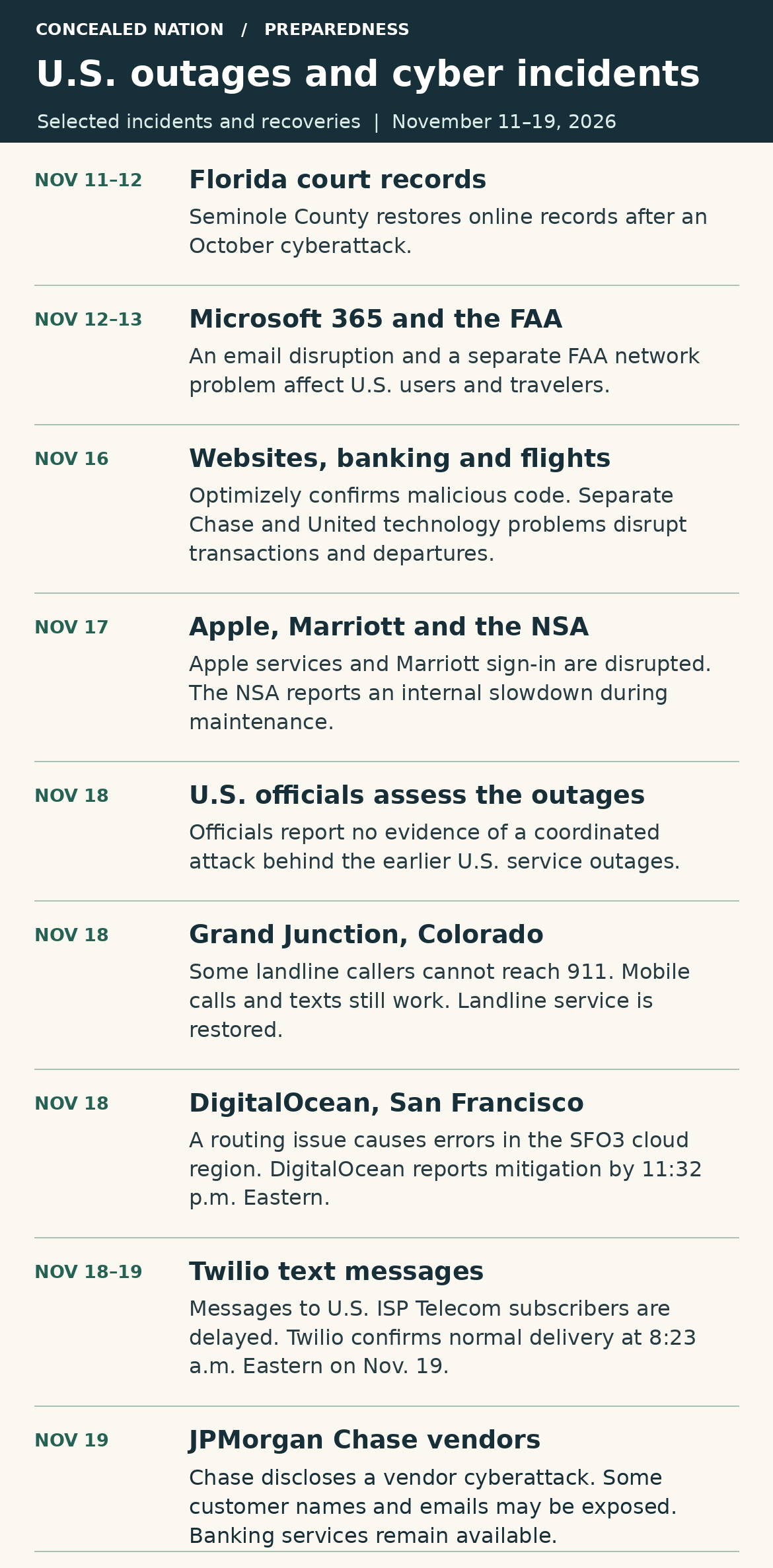
Which November outages affected the United States?
- November 11–12, Florida court records. Seminole County’s court and official records returned online after an October cyberattack prompted the clerk to suspend public access. The November development was the recovery. During the disruption, some residents had to visit a courthouse to handle business they ordinarily did online.
- November 12–13, email and flights. Microsoft attributed an Outlook and Microsoft 365 outage to a technical update. Separately, the FAA said a network problem destabilized older equipment and prompted a nationwide ground stop on November 13. Air traffic resumed at 8:15 p.m. Eastern. A traveler could have lost access to a rebooking email just when it mattered most.
- November 16, U.S. websites. Optimizely confirmed that an intruder placed malicious code in some customer web projects. Reuters reported that the affected sites included CNN and Salesforce. The scope of successful compromises among visitors remained uncertain. This was a documented security incident.
- November 16–17, banking, travel and phones. Chase attributed transaction delays to a software bug. United reported a separate technology problem that delayed departures. On November 17, Apple attributed service interruptions to an internal update, and Marriott reported trouble signing in. The NSA also reported an internal network slowdown during maintenance.
- November 18, Grand Junction, Colorado 911 landlines. Some callers heard a busy signal when dialing 911 from a landline. Police said mobile calls and texts to 911 still worked, and landline callers could reach dispatch through its non-emergency number. Landline 911 service was restored. KKCO’s local report.
- November 18, DigitalOcean’s San Francisco cloud region. A routing failure caused errors and timeouts for customers creating or managing resources in the SFO3 region. Some load balancers and newly started servers also had connection problems. DigitalOcean said the errors had subsided by 11:32 p.m. Eastern. DigitalOcean’s incident report.
- November 18–19, text delivery to ISP Telecom subscribers. At 10:46 p.m. Eastern on November 18, Twilio reported delays sending text messages to subscribers on this U.S. network. Twilio confirmed normal delivery at 8:23 a.m. Eastern the next morning. The disruption affected this messaging route. Twilio’s incident report.
- November 19, JPMorgan Chase vendor cyberattack disclosure. Chase said attackers targeted outside service providers and may have obtained some customers’ names and email addresses from marketing records held by those vendors. The bank said its services continued operating and that the incident was unrelated to the November 16 transaction delays. Chase said it would contact affected customers directly where appropriate. Reuters report.
None of those reports documents a nationwide loss of electricity, drinking water or cell towers. The household outage checklist below covers what to do if a future disruption reaches any of them.
Printable outage planning sheets
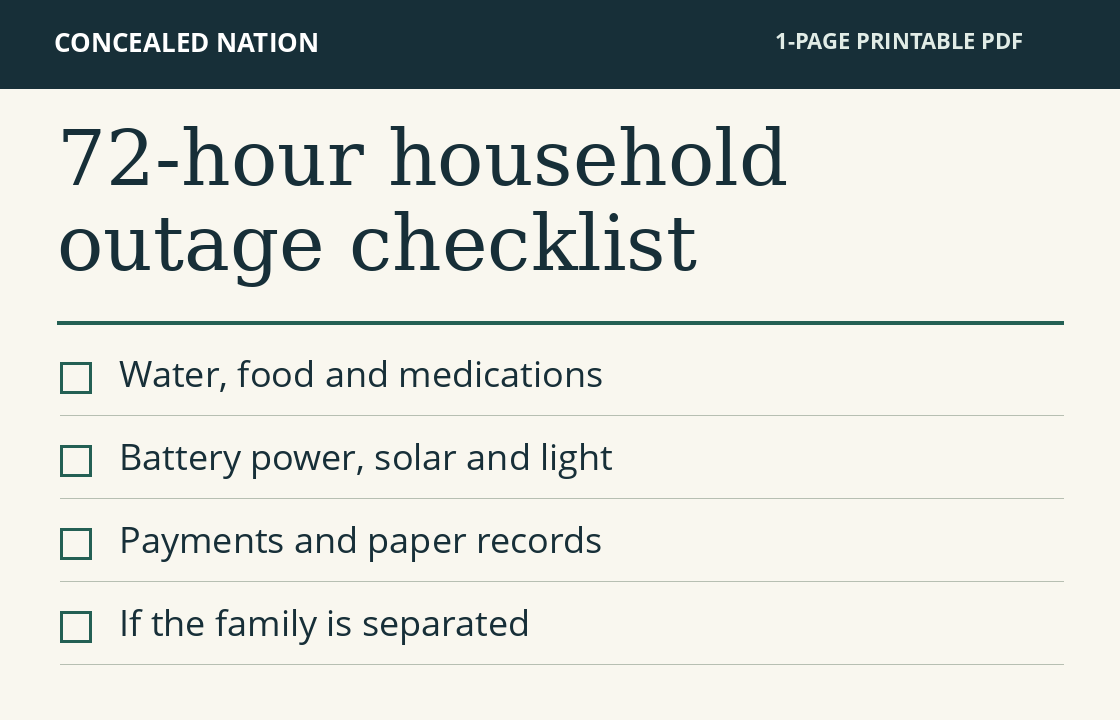
Download the 72-Hour Household Outage Checklist (PDF)
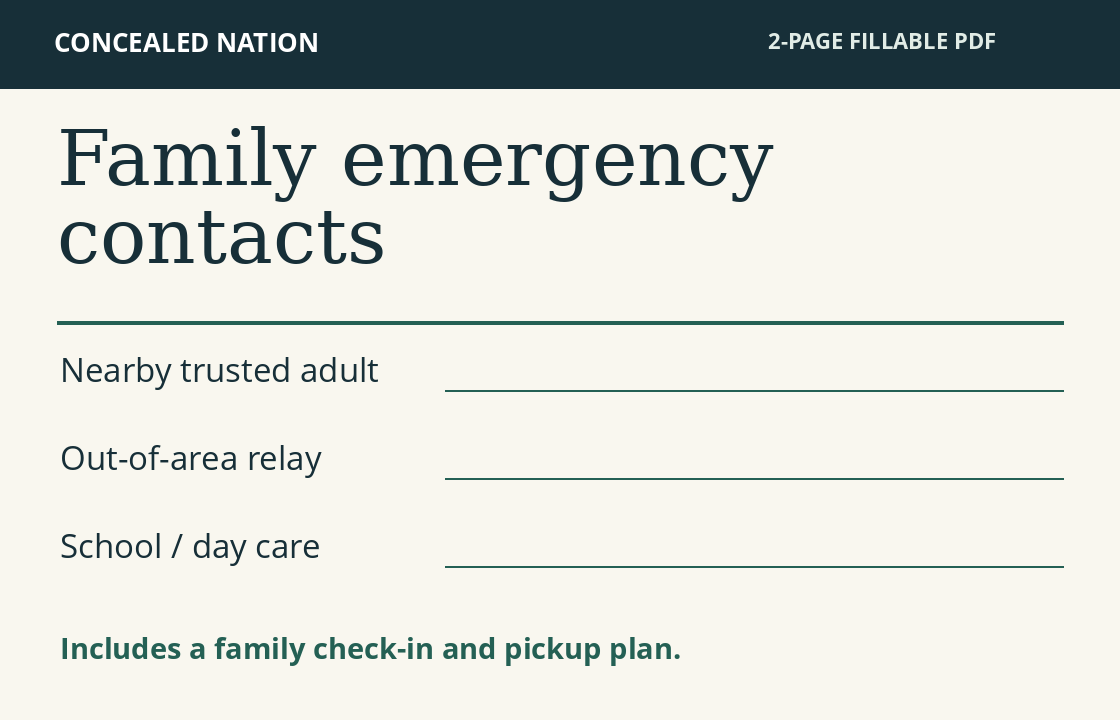
Download the Family Emergency Contacts and Pickup Plan (PDF)
A household outage checklist for the first 72 hours
Start by asking what your household must be able to do tomorrow morning. For one family it’s preparing formula with safe water. For another it’s powering a medical device overnight or making sure someone gets to school pickup. Put those needs first when money or storage space is tight.
- At home: Three days of drinking water and familiar shelf-stable meals, a manual can opener, a flashlight or headlamp, spare batteries, a radio, hygiene supplies, and what babies and pets use each day.
- With each adult or independent traveler: A charged phone, tested cable and power bank, physical ID and payment card, some small bills, a paper contact card and directions to the family meeting places.
- For the whole family: An agreed pickup plan, one person outside the area who can relay messages, a current medication list and a way to receive local emergency instructions. Keep supplies where the adult doing pickup or staying with the children can actually find them.
How to communicate when cell towers go down
First establish whether anything still works. If voice calls fail, try one short plain text to the family’s out-of-area contact. Include your name, location, whether you’re safe, your destination and the next time you’ll check in. For example: “Sam safe at work at 4:10. Staying here until roads reopen. Checking again at 5.” A delayed text is more useful with a timestamp. Ask the contact to relay it so everyone isn’t repeatedly calling everyone else.
Texts may get through a congested network. If there’s no reachable cellular network, ordinary SMS cannot provide an immediate check-in. Try a known working internet connection for messaging or previously configured Wi-Fi calling. A router’s Wi-Fi symbol only tells you that your phone sees the router. Open a fresh page or get a reply before relying on it. Save battery between scheduled checks.
Choose backup communications by the distance you actually need to cover.
- Across the block: A pair of Family Radio Service (FRS) handhelds allows short-range two-way communication without cell towers. Agree on a channel, a backup channel and a listening time. Test from inside the house to the actual pickup point, with someone answering at the far end. Buildings and hills can shrink the range. A package’s mileage claim is a poor basis for a school pickup plan.
- Across town: Ask whether the school, workplace or a trusted neighbor has a working phone or internet connection. A cordless home phone or internet-based phone may also lose service when power fails. Confirm which options work locally. A battery-powered AM/FM radio can bring in local announcements; it cannot send your location back.
- A long commute or a college student hours away: A two-way satellite messenger is an option if both ends have a way to receive the message. Some devices require an active subscription and a clear view of the sky. Test an ordinary message and reply in advance. Sending a satellite message to a phone in the same dead zone still leaves the recipient offline. An out-of-area relay with working service can receive updates from both ends. Verify whether any satellite feature on your own phone supports family messages or only emergency SOS.
If someone is in immediate danger, try 911. If the call cannot connect, seek help from nearby responders or a staffed location when it is safe to do so. Reserve emergency lines and SOS features for emergencies. A routine missed check-in belongs on the family plan.
A family reunification plan for school, work and the road
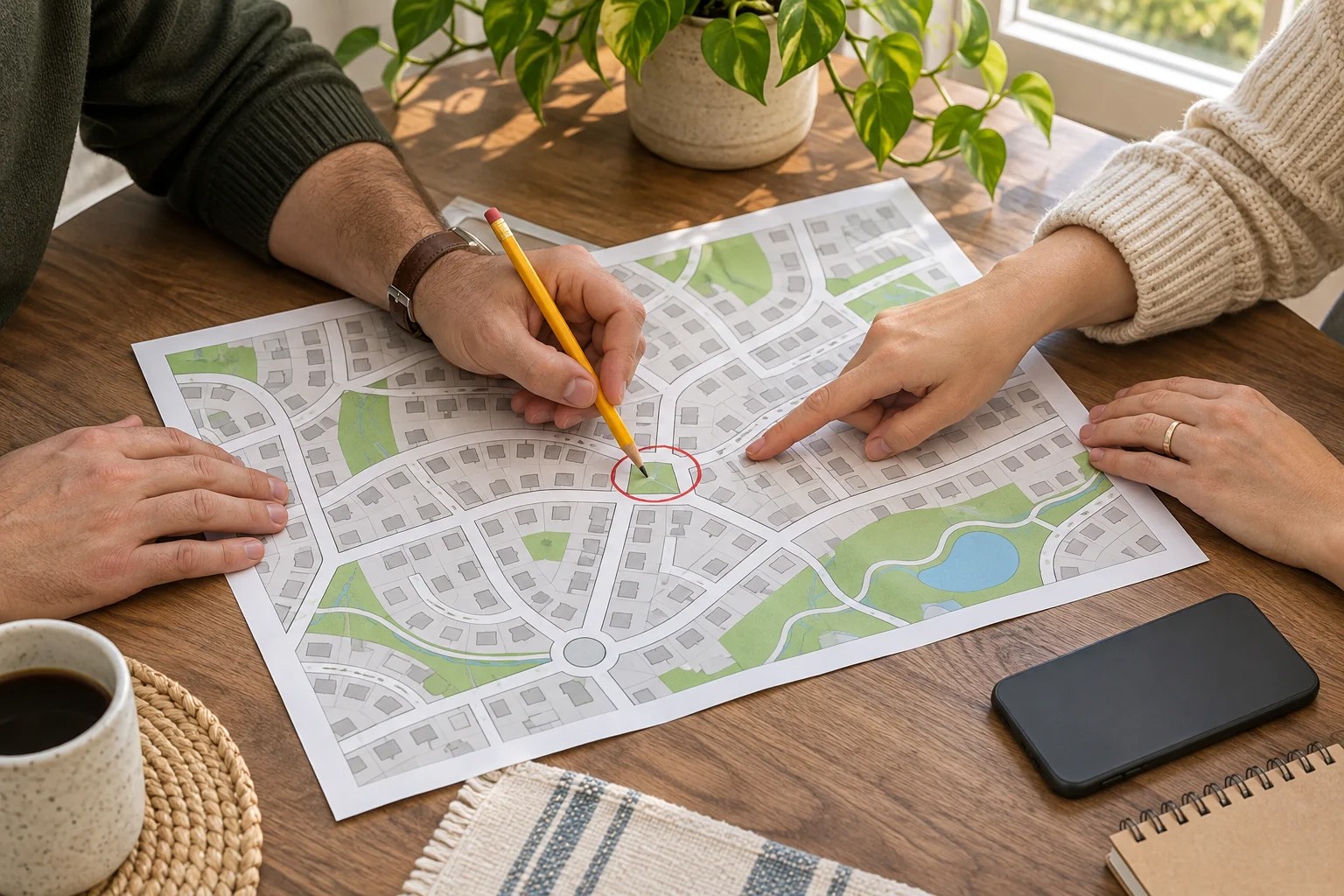
Write down two meeting places and one default action. Choose an exact neighborhood location if the house is inaccessible, such as a trusted neighbor’s covered front porch. Choose another place outside the neighborhood if the whole area is closed. Write the street address, entrance, contact name and an alternate route. Get the host’s agreement. “Meet at the library” is a weak plan if one person waits in the parking lot and another stands at a locked side door.
Decide what each person does without receiving fresh instructions:
- The adult at home stays at the agreed contact point if it’s safe, listens for official instructions and keeps a written log of messages, departure times and destinations. If ordered to evacuate, that adult follows the order and uses the designated fallback when accessible.
- A child at school or day care stays with staff and follows the school’s release procedure. The designated adult handles pickup at the school’s announced reunification site. An authorized backup takes over only under the condition the family agreed on beforehand. Put both names on the school’s list and carry photo ID.
- An adult at work or on the road follows site and road-safety instructions. If the route home is open and safe, use the agreed route. If stranded or sheltering, stay at a safe staffed place and relay its name when a channel becomes available. Silence alone is a poor reason to leave a safe building or start walking an unfamiliar road.
- A college student or relative far from home follows campus or local instructions and checks in with the out-of-area contact. Agree beforehand that a missed call does not trigger a long drive by either party. Identify a nearby person the family can ask for help if there is a specific welfare concern.
Set a missed-contact rule. For example, listen or try a message at the top of each hour for five minutes. After two missed windows, the designated coordinator checks the relay contact and the known school or workplace channels. Everyone else sticks to their assigned destination unless safety conditions change. Those times are a household choice. A known injury, urgent medical need or credible danger calls for immediate help.
Battery backup and solar power for a home outage
Decide what earns a place on the battery before plugging anything in. Phone charging, a light, a radio and medically necessary equipment may matter more than keeping a television running. Keep a small power bank with the person away from home. A big power station sitting in the kitchen does nothing for a commuter whose phone dies at 4 p.m.
Watts tell you what the battery can run at once. Watt-hours tell you roughly how long it can run it. Say a router draws 12 watts for eight hours, a lamp draws 5 watts for four hours, and you budget 20 watt-hours each for two phones. That adds up to 156 watt-hours before conversion losses and the station’s own power use. Read the labels or measure your devices, allow a margin, and try the setup for one evening. If the provider’s network is down, switch off the router and save that energy. For a refrigerator or well pump, confirm running power, startup surge and compatibility before counting on a portable station.
Solar is a way to refill a battery. Check the station’s permitted input voltage, current, connector and charging limits against the panel specifications. If the display shows an average of 100 watts coming in for three hours, that’s about 300 watt-hours of input before losses. A panel labeled 200 watts will not necessarily deliver 200 watts throughout the day. Shade, clouds, panel angle and season matter. Test in the spot you actually have and record what the station gains by afternoon. Plan for a cloudy second day.
For a powered medical device, get a backup and relocation plan from the equipment supplier and care team. Know where the person can go while there is still enough battery for the trip.
CDC recommends storing at least one gallon of water per person per day for three days, and working toward two weeks where possible. For a five-person household, that’s 15 gallons for three days, 35 for a week or 70 for two weeks. Allow extra for heat, illness, pregnancy and pets. If a well depends on an electric pump, keep water you can actually draw with the breaker off. For a large drum, that means a working hand pump or spigot and smaller, clean containers for carrying it.
Unopened commercial bottled water is the simplest starting point. For water you fill yourself, use clean food-grade containers, label the fill date and replace the water every six months. Keep it cool and away from chemicals. Follow your utility’s instructions if it issues a water advisory; the remedy depends on the contaminant.
Build the first three days of meals around what the family already eats cold: pull-tab beans, canned chicken, crackers, fruit cups, shelf-stable milk in small cartons, or allergy-safe spreads. Add a can opener and plan the portions so an opened can gets finished. A bucket of dry rice uses water and cooking fuel. Make sure at least the first day’s meals need neither.
Keep refrigerator and freezer doors closed. Federal food-safety guidance gives an unopened refrigerator about four hours, a full freezer about 48 hours and a half-full freezer about 24 hours. An appliance thermometer helps you decide what stayed cold. Follow the federal discard chart for individual foods; tasting food cannot establish that it’s safe.
Cash, paper contacts and medications when systems are offline
How much emergency cash should you keep? Price one normal grocery trip, a necessary fuel stop or ride, and a day of unavoidable expenses. Start with what you can set aside in small bills and store it securely. A physical card gives you another option if a phone wallet fails. Ask what the merchant can accept before filling a cart. If a transaction stalls, note the amount and time before retrying so you can check for duplicate charges. Call the number on your card if someone offers by text to “protect” your balance.
What belongs on a paper contact card? List household members, the out-of-area relay, the school office and pickup address, employer or campus safety desk, pharmacy, prescriber, local utility outage line and bank service number. Include the two meeting locations and next check-in time. Put copies in wallets, backpacks and the car. Leave passwords, PINs and full account numbers off the card.
Keep a separate, private medication sheet. Write down each drug’s name, strength and usual schedule, allergies, refill information, prescriber and pharmacy. Ask about refill timing before supplies run low. For refrigerated medicine, get product-specific storage and temperature instructions from the pharmacist, including what to do if the medicine warms up. Keep the plan with the medicine and tell the backup caregiver where to find it.
Firearms and family self-defense during an extended outage
On the third night without power, you hear someone trying the back door. Your teenager is due home, and a neighbor has already stopped by twice looking for a working phone. This is where a family self-defense plan earns its keep. Keep the door locked, account for the people inside, and speak through the closed door if it’s safe. Use a flashlight to see. Keep a firearm out of the interaction while you’re figuring out who is there.
If someone threatens violence or tries to force entry, give everyone a job they can do in the dark. One adult gathers the children and anyone who needs help moving. Another calls 911 and gives the address first, followed by the door or entrance involved, what the person is doing, and whether anyone is hurt. If there’s a clear way out away from the threat, take it together. If leaving would put you in the person’s path, get behind a locked door. Leave a stolen generator or a vehicle in the driveway for police to deal with. Following someone outside can turn a property loss into an encounter your family can’t escape.
Plan for a failed 911 call. If voice service fails, try text-to-911 where available. If the local network is down, a neighbor you can reach by two-way radio may still have a working phone. Ask them to call for you and give them your exact address, including the town and apartment number. Have them confirm they reached a dispatcher. Keep children with a trusted adult throughout.
For firearm owners, two details matter before and after an emergency. Recheck access when relatives move in or children change bedrooms. When officers arrive, keep your hands empty and visible, follow their instructions, and tell them where any firearm is without reaching for it. Once everyone is safe, account for each person by name and get medical help for anyone injured.
Test the family outage plan before you need it
Try one evening with mobile data and Wi-Fi switched off on the phones you’re testing. Keep a working phone available for real emergencies. Ask the adult away from home to name the fallback entrance, the person at home to power the lamp and radio, and the backup caregiver to find the pharmacy number. Pour a gallon from your stored water. Open one of the meals. Send a test radio message from your actual meeting place.
Write down whatever failed. A radio that can’t reach the corner, a solar cable that doesn’t fit or a school that has only one authorized pickup adult is a problem you can fix tonight. Date the contact card and run the drill again when someone changes schools, jobs, prescriptions or commute routes.
Safety Tip: Ask each family member to explain the plan from memory. Follow official evacuation or shelter instructions if they change the route or meeting place.

